Edit Custom Form
If the Forms option is enabled on your company’s CSI Secure Connect site (for more information, please see the Advanced Administration section of this manual), Site Administrators have the option of uploading a customized form specific to the company. To upload this form, click the dropdown arrow at the top of the User Directory box and select Edit Custom Form from the menu.
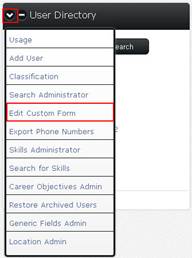
Upload a file from your PC, or link to an existing PDF form on the screen that appears.
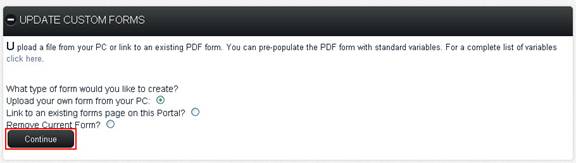
Choose one of the following options:
Upload your own form from your PC
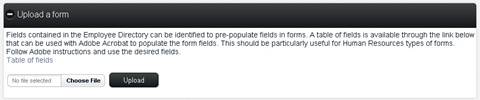
Browse for the file you want to upload by clicking the Choose File button. Once you have selected the correct file, click the Upload button to load the file to CSI Secure Connect.
Link to an existing forms page on this Portal?
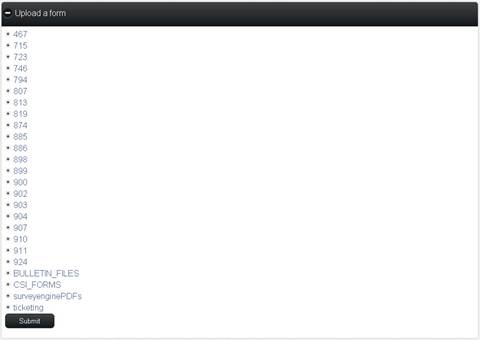
Select the forms page you want to link to and click the Submit button at the bottom of the box.
Remove Current Form?
Click this option to remove a form from your organization’s CSI Secure Connect portal.
If you upload a form or link to an existing forms page, the form will be presented to users the first time they login to CSI Secure Connect. Existing users can access the form at any time by selecting the Forms option from their user profile dropdown menu.