Secure Information
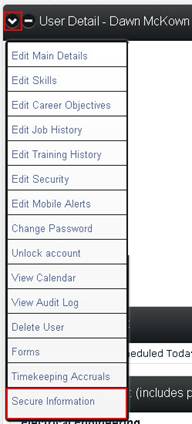
Site Administrators, users with HR security and employee managers have the ability to view information regarding their employees that other users are not granted the right to access. This Secure Information is reached by first opening the employee’s profile and clicking the Secure Information option from the dropdown at the top of the User Detail box.
The screen that appears will contain the following sections:
Personal Information
Tax Information
Payroll Information
Emergency Contacts
Other Emergency Medical Information
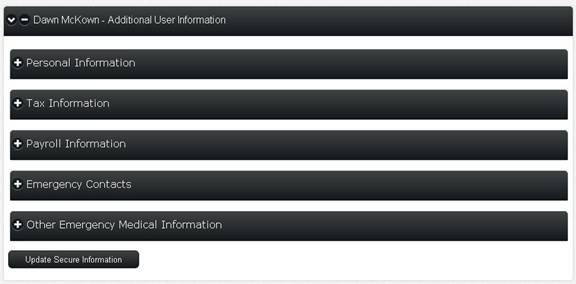
To edit any of the current information, simply click within the section you want to edit, update the information and click the Update Secure Information button at the bottom of the screen.